Operational Products
When technology fits naturally into existing routines, better data becomes a byproduct of better work, not an additional responsibility.
I design software for people working in fast-paced operational environments, where attention is limited and every extra step competes with the work itself.
I believe operational technology only creates value when it disappears into the job already being done—reducing cognitive load instead of adding to it.
Data Collection With a Single Tap
StreamLine Smart Scale
Using AI and computer vision to remove work in the kitchen.
Data Collection With a Single Tap
StreamLine Smart Scale
Using AI and computer vision to remove work in the kitchen.
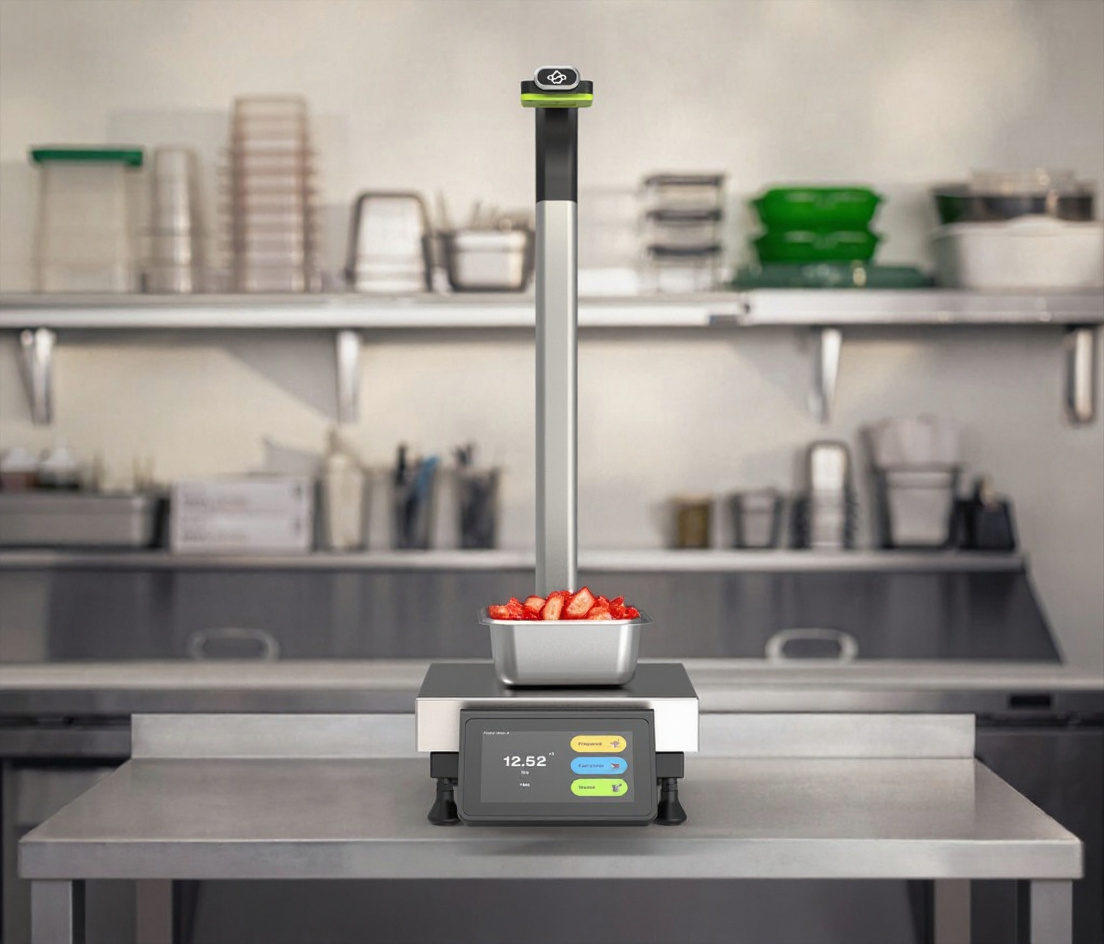
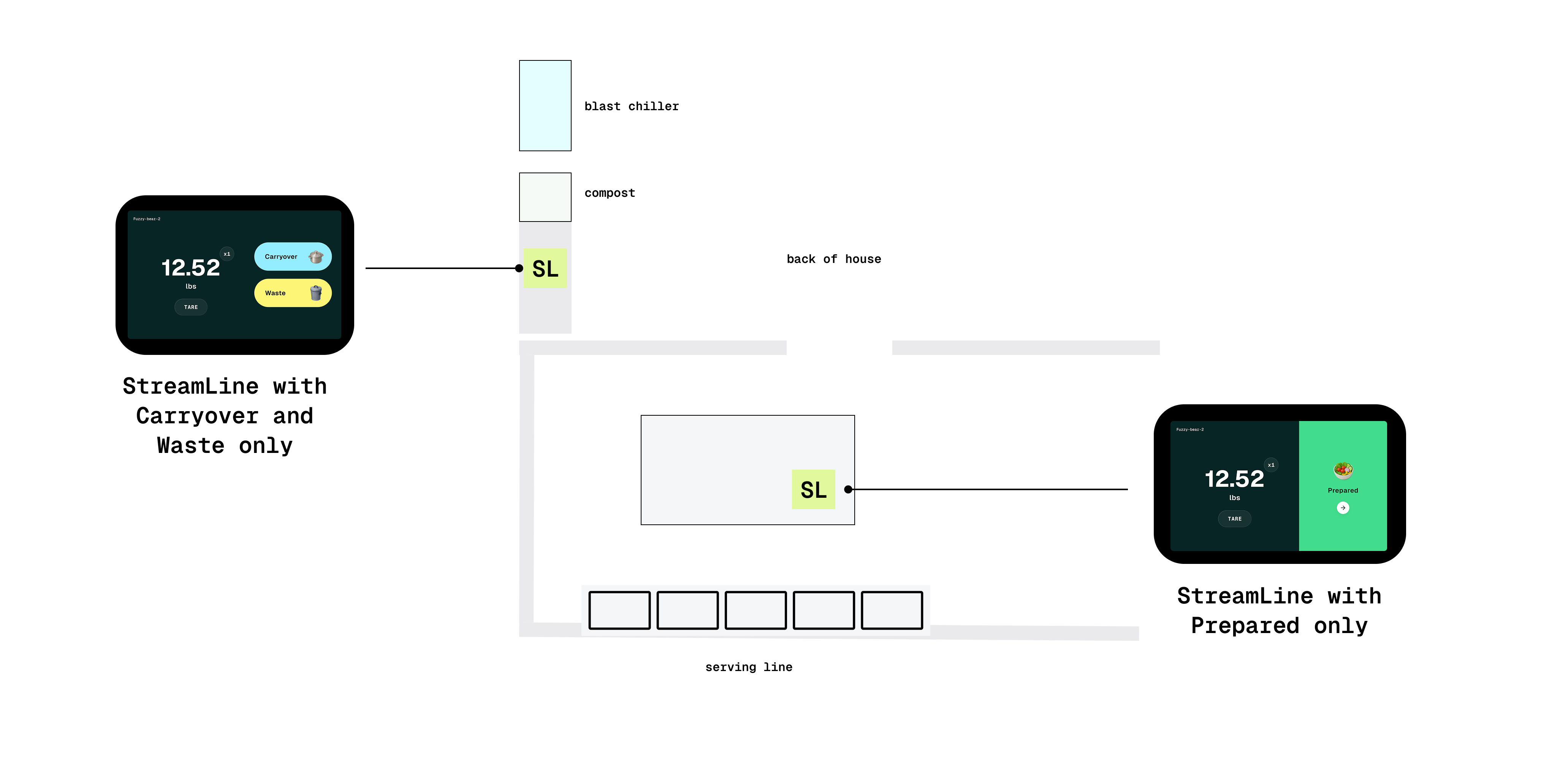
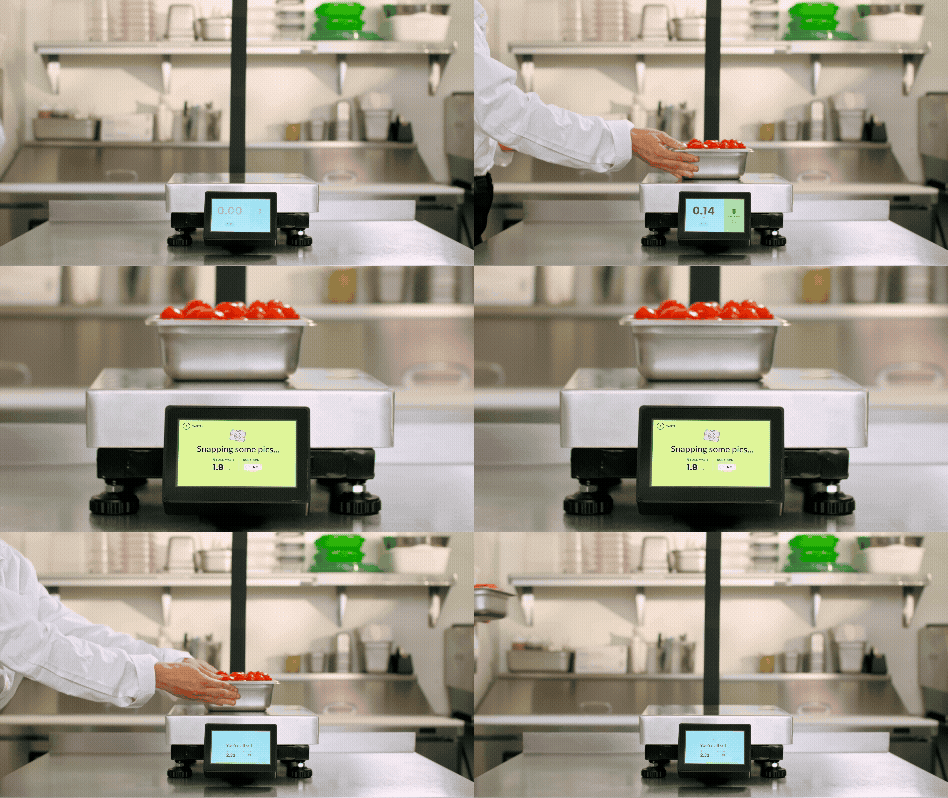
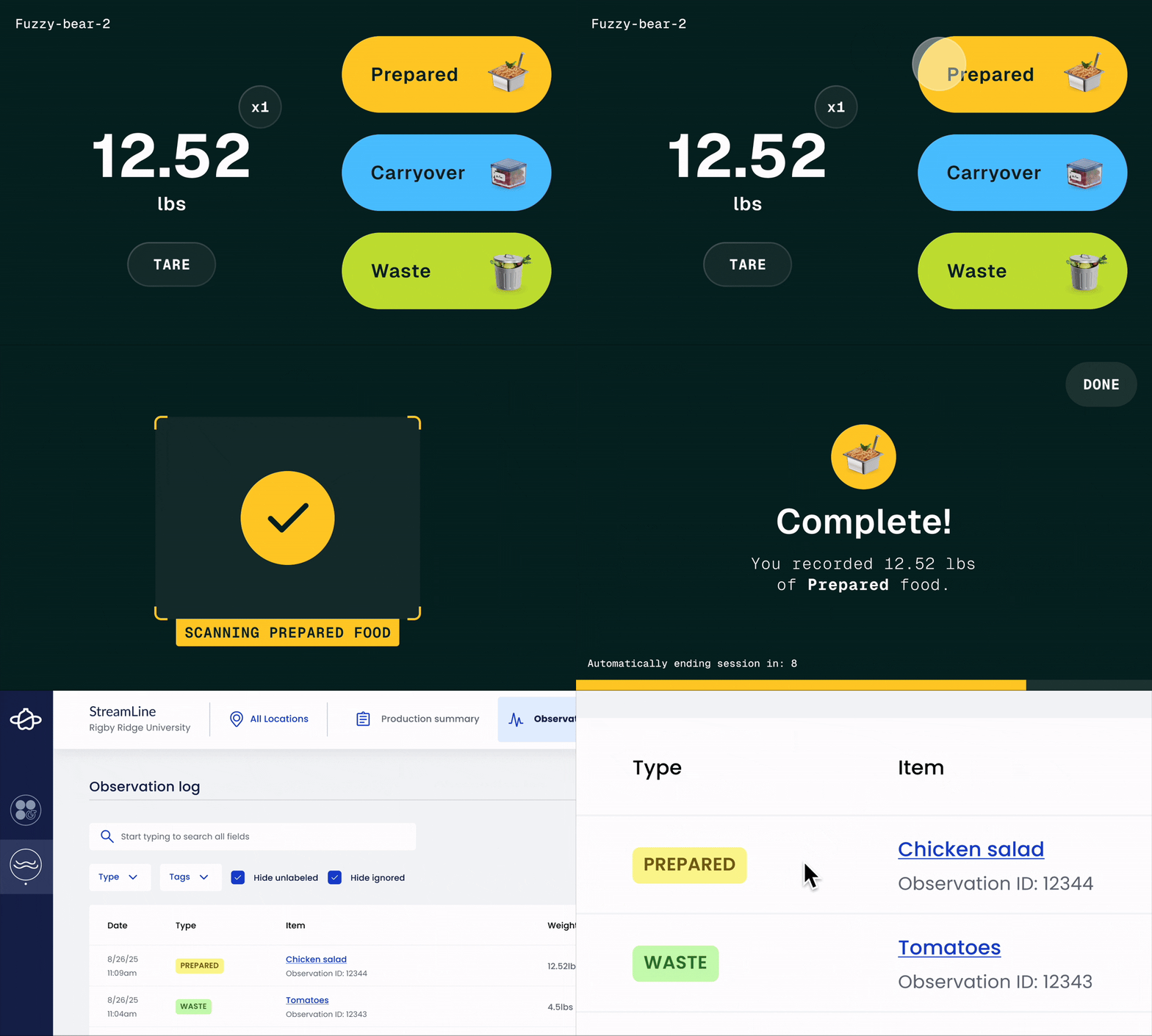
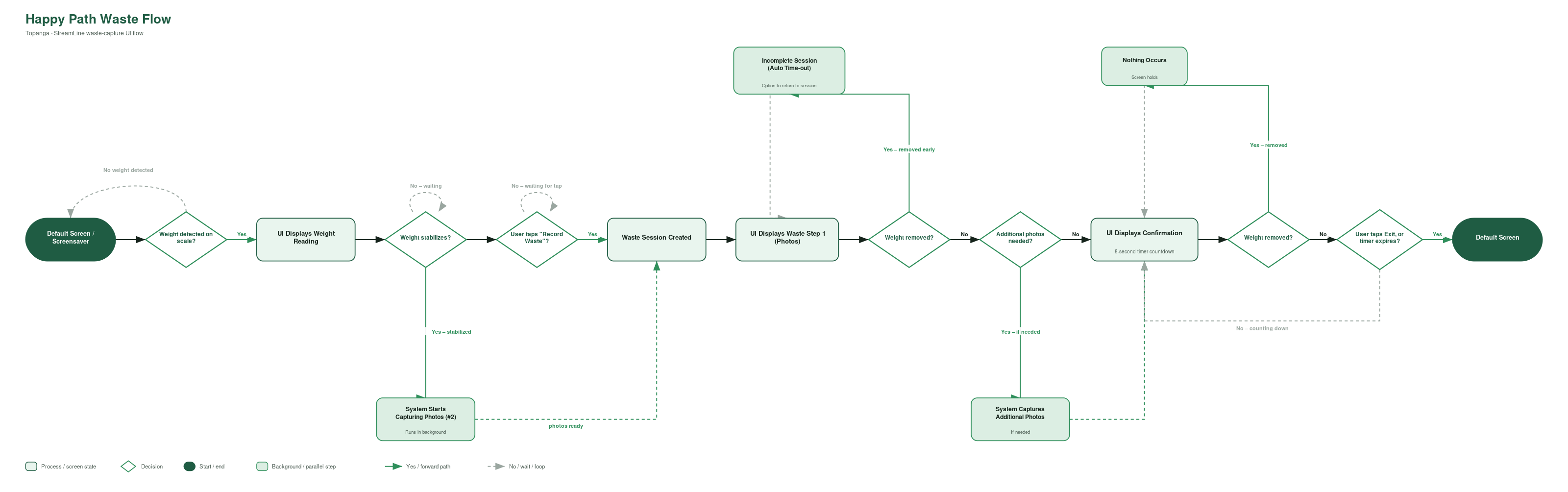
Rather than asking operators to manually record production data, StreamLine used AI and computer vision to automatically identify and label food as it was placed on the scale.
Instead of creating another task, data collection became a lightweight extension of the work already happening.
User testing shaped every aspect of the interface, helping us strike the right balance between a sleek, modern aesthetic and subtle moments of delight. The resulting design language felt innovative enough to build trust in the AI while using rewarding feedback to encourage consistent use throughout the day.
The quality of operational data is directly tied to the quality of the frontline experience.
By making data capture nearly invisible, we created a system operators trusted and consistently used, laying the foundation for meaningful operational visibility and future AI-powered decision support.
From Data to Decision
StreamLine Insights Reporting
Helping chefs put production data to use.
From Data to Decision
StreamLine Insights Reporting
Helping chefs put production data to use.
Collecting operational data is only half the challenge. Once that data exists, people need experiences that help them quickly understand what matters without interrupting the work they’re already doing.
We used a system of anticipatory touchpoints that delivered information through the right channel at the right moment.
During Service
Embedded operational feedback provided immediate visibility while work was happening, helping teams stay on pace without interrupting service.

Before Service
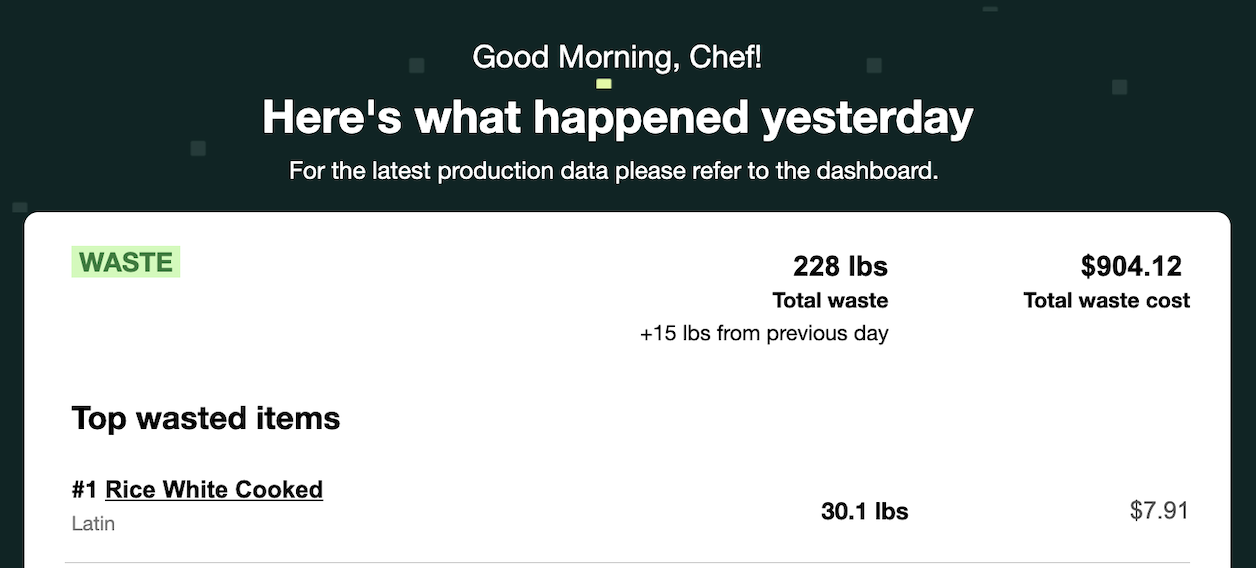
Daily email summaries gave chefs a quick understanding of yesterday’s performance before today’s shift began, making it easy to identify what required attention.
Weekly Reflection
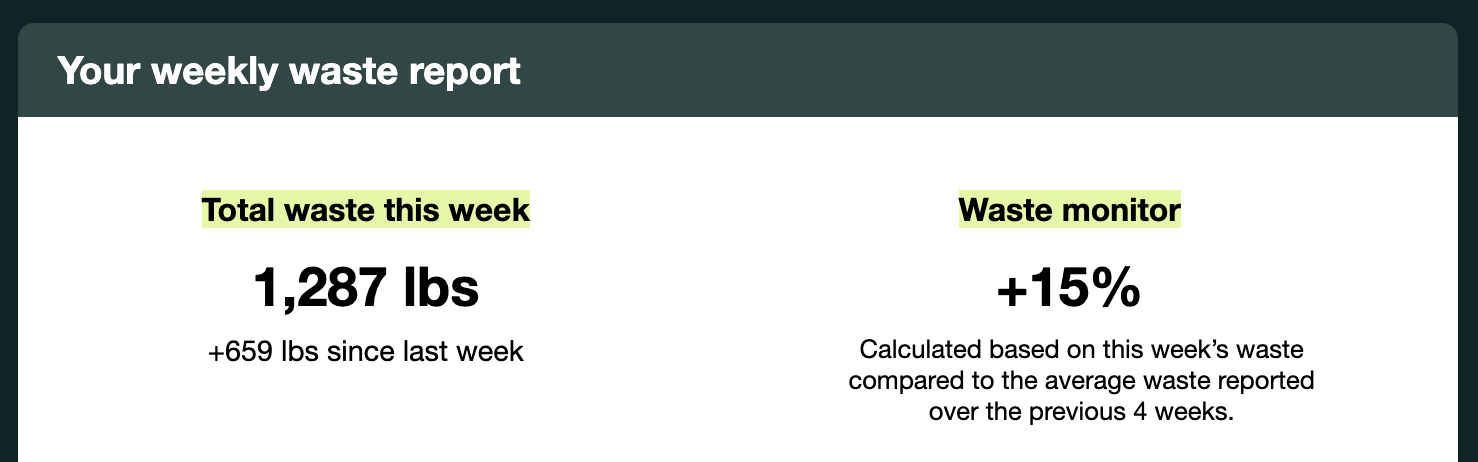
Weekly Slice n’ Dice reports created space to step back from day-to-day operations, helping chefs identify trends, celebrate wins, and uncover new opportunities for improvement.
Deep Exploration in Dashboard
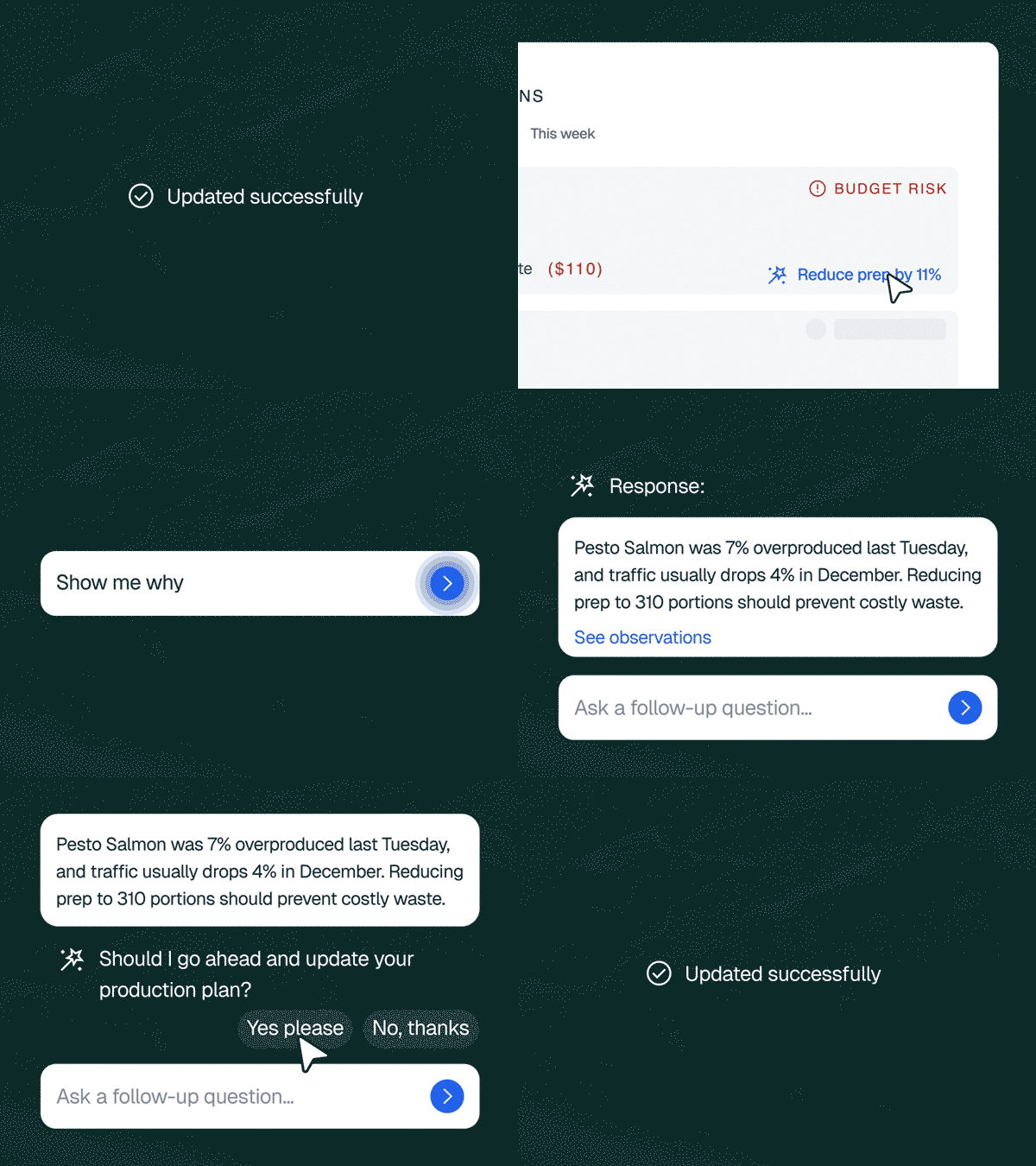
Rather than another dashboard, an AI-native workspace: chefs explore performance visually, or ask an assistant that’s read thousands of production observations and can answer in plain language.
Agentic Support
Beyond surfacing insights, we built focused workflows and agentic tasks that let chefs act on what they saw directly. Updating a forecast (previously a manual process spread across separate systems) became a single tap, with the agent handling the update everywhere it needed to happen.
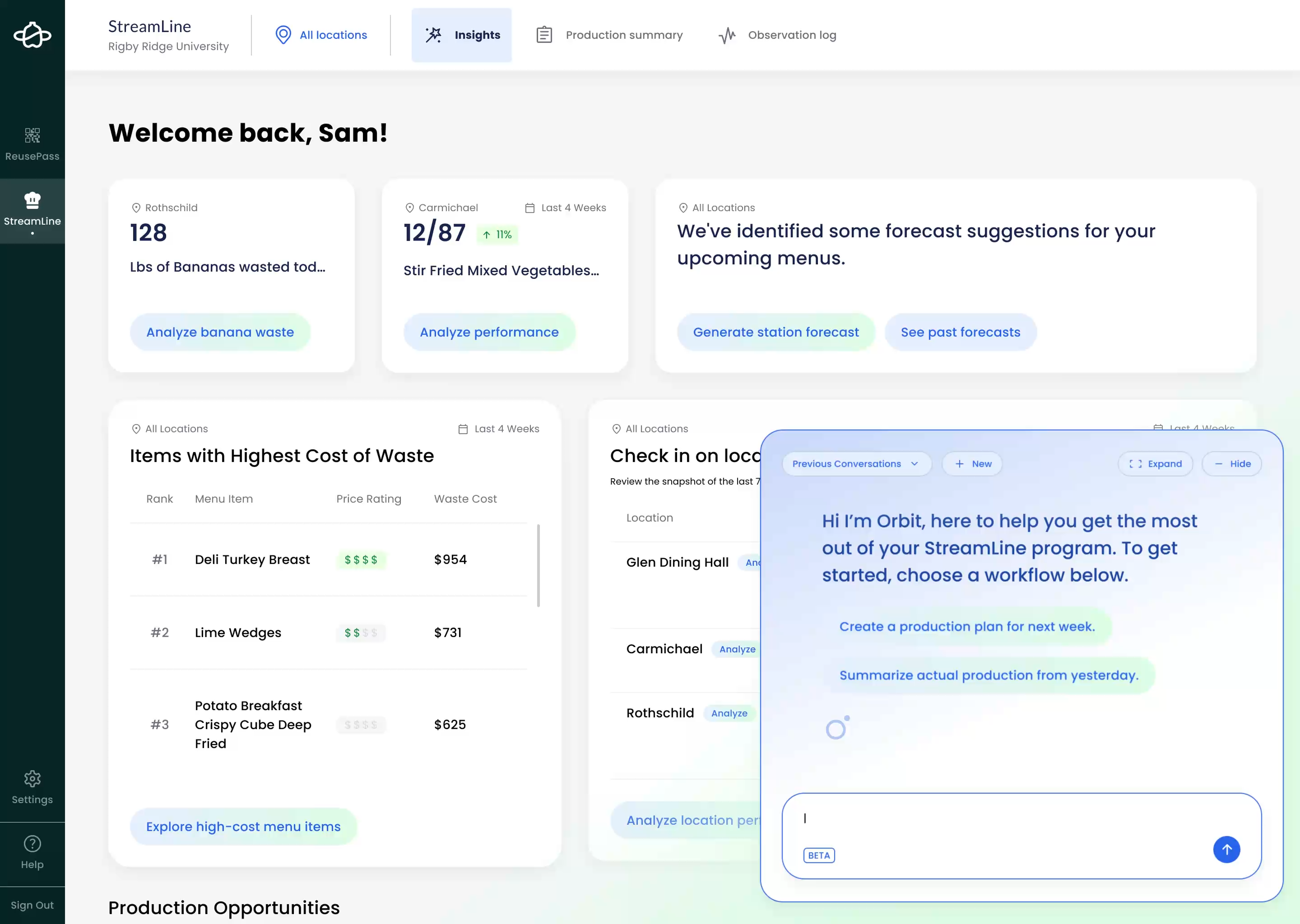
What deserves my attention right now?
Workflows That Fit the Work
Sweetgreen Hot Prep Tool
Helping kitchen teams plan and track production throughout the day.
Workflows That Fit the Work
Sweetgreen Hot Prep Tool
Helping kitchen teams plan and track production throughout the day.
At Sweetgreen, I redesigned a prep planning system that had struggled with adoption by transforming it into a lightweight Kanban-style workflow that matched how kitchen teams already worked.
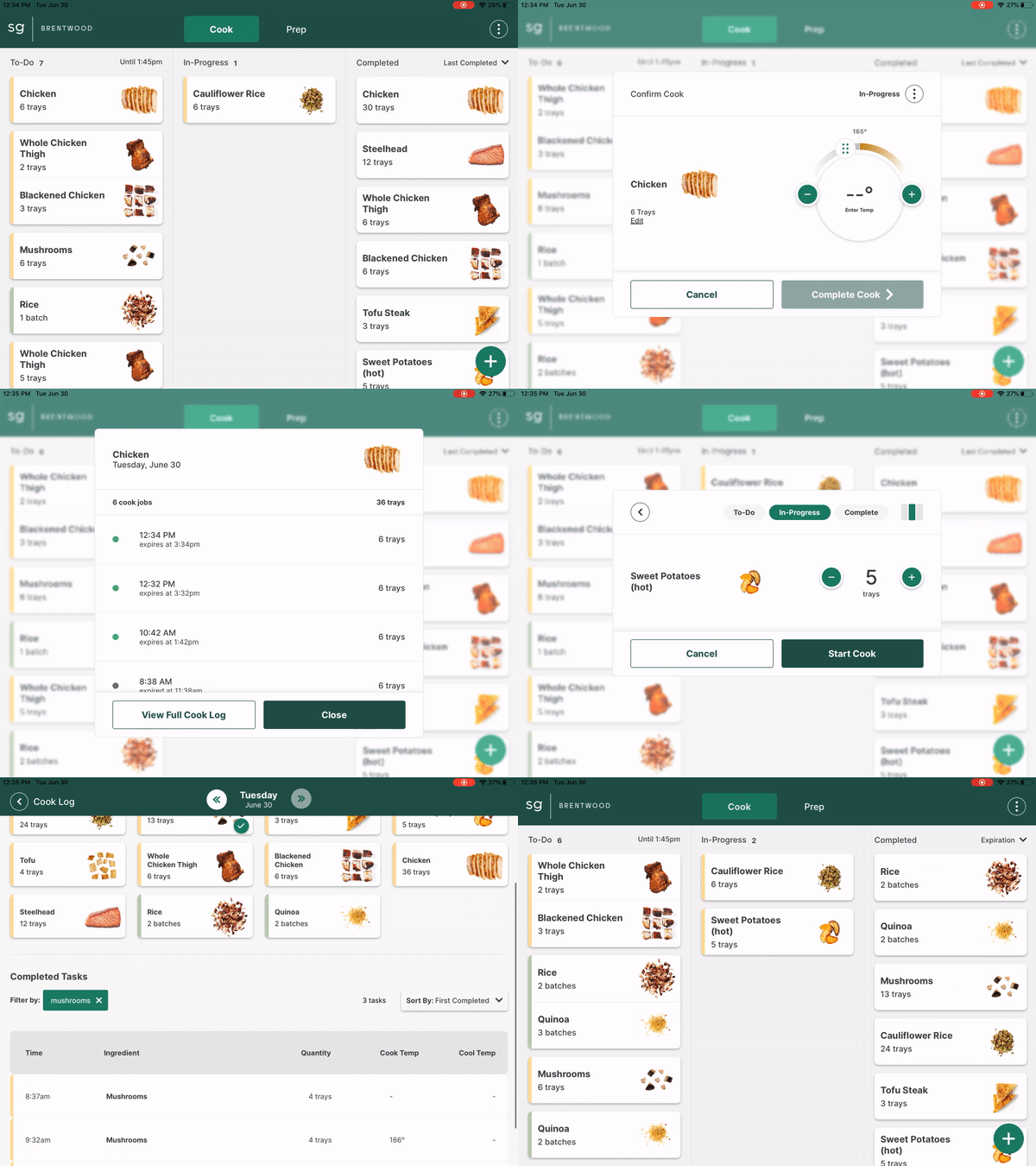
The experience combined production planning with required food safety logging, eliminating duplicate work while helping operators understand what to cook, when to cook it, and whether they were keeping pace with demand.
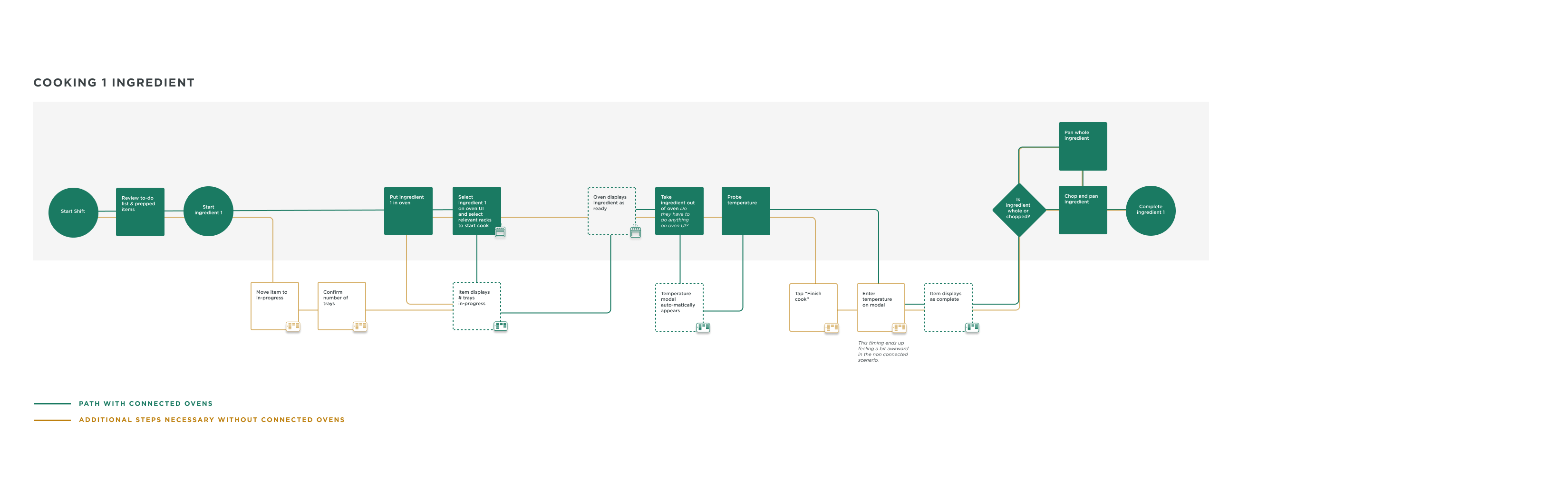
Workflow design isn’t simply about efficiency.
It’s about creating experiences that respect attention.